

Reading Time: ~9 minutes | DevOps & Deployment Series
Ember’s Opening:
“A penguin prays with every step across the ice—careful, repeatable, never skipping the process. But when the winds change, the phoenix soars, turning daily rhythms into moments of transformation.
CI/CD for faith apps isn’t just automation; it’s a liturgy for reliable, joyful releases.” 🐧→🔥
Introduction: DevOps as Spiritual Practice
For faith-based platforms like Prayer Nook and Heis Soma, reliability isn’t just a technical concern—it’s a ministry imperative. When someone is sharing a prayer request at midnight or logging into their church’s SSO from the hospital, your app must work. But “working” isn’t just uptime; it means fast bug fixes, smooth rollouts, and zero surprise regressions.
That’s where CI/CD (Continuous Integration/Continuous Deployment) comes in. For us, CI/CD became a form of “continuous prayer”—a discipline of preparation, vigilance, and trust that the next push won’t break the community’s sacred digital space.
This post demystifies how we built CI/CD pipelines for faith-tech, from GitHub Actions and Solid Queue to Kamal and zero-downtime deploys. Whether you’re a solo dev or building for a global ministry, you can make every deploy a “release of faith.”
1. The DevOps Mindset: Why CI/CD for Faith Apps?
Why bother with CI/CD?
- Reliability: Your users trust you with their stories, prayers, and identities—failures erode that trust.
- Speed: Security patches and bug fixes can’t wait until “someone has time.”
- Safety: Automated tests are your safety net when you’re pushing code at 2am for Sunday’s launch.
- Peace of Mind: DevOps discipline lets you focus on ministry, not firefighting.
Faith context bonus:
- Audits and change tracking help with nonprofit compliance.
- Transparent, repeatable pipelines build trust with partner churches and donors.
2. CI/CD Architecture for Rails-Based Faith Apps
Our Stack:
- Rails 8.0, Postgres 15, Ruby 3.4
- Prayer Nook: Prayer platform (multi-tenant, high privacy)
- Heis Soma: Custom OAuth2 SSO (API-first, high uptime)
- GitHub Actions: CI/CD backbone
- Kamal 2: Zero-downtime container deploys
- Solid Queue: Background jobs (evaluated)
- Cloudflare: Edge caching and security
- Vercel: Static asset and frontend hosting
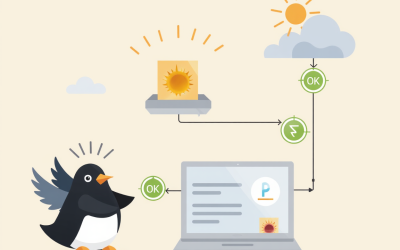
Diagram: High-Level Pipeline
flowchart TD
  A[Push to GitHub] --> B[GitHub Actions CI]
  B --> C[Run Tests & Lint]
  C --> D[Build Docker Image]
  D --> E[Push to Registry]
  E --> F[Kamal Deploy to PROD]
  F --> G[Notify Slack/Email]
  F --> H[Trigger Solid Queue Jobs]
  F --> I[Cloudflare Invalidate Cache]
3. Step-by-Step: Building the Pipeline
A. Automated Testing with GitHub Actions
Why GitHub Actions?
- Free for open source/nonprofits
- Deep Rails integration
- Easy secrets management
Sample Workflow (.github/workflows/ci.yml):
name: CI

on:
  push:
    branches: [main]
  pull_request:
    branches: [main]

jobs:
  build:
    runs-on: ubuntu-latest
    services:
      postgres:
        image: postgres:15
        ports: ['5432:5432']
        env:
          POSTGRES_DB: test
          POSTGRES_USER: postgres
          POSTGRES_PASSWORD: password
    env:
      RAILS_ENV: test
      DATABASE_URL: postgres://postgres:password@localhost:5432/test
    steps:
    - uses: actions/checkout@v4
    - uses: ruby/setup-ruby@v1
      with:
        ruby-version: 3.4.1
    - name: Install dependencies
      run: bundle install --jobs 4 --retry 3
    - name: Set up database
      run: |
        bin/rails db:create
        bin/rails db:schema:load
    - name: Run tests
      run: bundle exec rspec
What We Test
- All model, request, system, and integration specs (400+)
- Security checks (brakeman, bundler-audit)
- Linting (RuboCop, standardrb)
- AI prompt coverage (with VCR)
Devotional: “Every test is a prayer for the future you don’t control.”
B. Build & Push Docker Images
Why Docker?
- Environment parity (dev = prod)
- Reproducible builds
- Required by Kamal
Sample Dockerfile (Rails 8 app):
FROM ruby:3.4.1

RUN apt-get update -qq && apt-get install -y nodejs postgresql-client

WORKDIR /app
COPY . /app

RUN bundle install
RUN yarn install --check-files || true

COPY entrypoint.sh /usr/bin/
RUN chmod +x /usr/bin/entrypoint.sh

ENTRYPOINT ["entrypoint.sh"]
EXPOSE 3000

CMD ["rails", "server", "-b", "0.0.0.0"]
Build & Push (within CI):
    - name: Build Docker image
      run: docker build -t ghcr.io/org/prayer-nook:${{ github.sha }} .
    - name: Login to GitHub Container Registry
      uses: docker/login-action@v3
      with:
        registry: ghcr.io
        username: ${{ github.actor }}
        password: ${{ secrets.GITHUB_TOKEN }}
    - name: Push Docker image
      run: docker push ghcr.io/org/prayer-nook:${{ github.sha }}
C. Zero-Downtime Deploys with Kamal
Why Kamal?
- Simple, robust Docker orchestration
- No vendor lock-in (vs. Heroku)
- Rollbacks in seconds
- Works on any cloud (we use DigitalOcean + Hetzner)
Sample Kamal Config (kamal.yml):
service: prayer-nook
image: ghcr.io/org/prayer-nook
servers:
  - 192.0.2.10 # Primary
  - 192.0.2.11 # Secondary
env:
  RAILS_ENV: production
  DATABASE_URL: postgres://...
registry:
  server: ghcr.io
  username: $GITHUB_ACTOR
  password: $GITHUB_TOKEN
hooks:
  deploy:
    - bin/rails db:migrate
    - bin/rails assets:precompile
    - bin/rails solid_queue:restart
Deploy Command
kamal deployEmber’s Note: “A deployment should be as uneventful as a Sunday morning coffee—reliable, familiar, and a little bit sacred.”
D. Background Jobs: Sidekiq vs. Solid Queue
Why Consider Solid Queue?
- No Redis dependency (simpler ops)
- Jobs in Postgres (one less moving part)
- Built-in prioritization
Why Stick with Sidekiq (for now)?
- Mature, proven at scale
- Familiar to contributors
- Handles high-concurrency spikes (prayer notifications, emails)
How We Integrated Both (Sample):
# Gemfile
gem 'sidekiq', '~> 7.0'
gem 'solid_queue', group: :development

# config/application.rb
config.active_job.queue_adapter = ENV.fetch('QUEUE_ADAPTER', 'sidekiq').to_sym

# bin/deploy hook can restart the right job processor
Job Example
class NotifyPrayersJob < ApplicationJob
  queue_as :prayer_notifications

  def perform(prayer_request_id)
    # Notify group, send emails, etc.
  end
end
E. Cache Invalidation & Edge Delivery
Why Cloudflare?
- DDoS protection
- Global CDN
- Cache API for instant updates
Sample Cache Purge on Deploy
    - name: Purge Cloudflare cache
      uses: nathanvaughn/actions-cloudflare-purge@v3
      with:
        zone: ${{ secrets.CLOUDFLARE_ZONE_ID }}
        token: ${{ secrets.CLOUDFLARE_API_TOKEN }}
        purge_everything: true
Practical Example
- After new assets are deployed, cache is purged so users see fresh prayer feeds and profile photos instantly.
F. Automated Notifications: Slack, Email, SMS
Why?
- Keep team in the loop
- Alert on failed builds or deploys
Sample GitHub Action Step
    - name: Notify Slack on success
      uses: rtCamp/action-slack-notify@v2
      env:
        SLACK_WEBHOOK: ${{ secrets.SLACK_WEBHOOK_URL }}
      with:
        status: ${{ job.status }}
        fields: repo,commit,message,author,action
G. CI/CD for Infrastructure as Code
- Terraform manages DNS, databases, and firewall rules.
- Kamal deploys containers, restarts jobs.
- All infra code reviewed via PRs and tested in staging.
4. Continuous Prayer in Practice: Real-World Lessons
A. Redemptive Rollbacks
Incident:
A hotfix for a privacy bug in a prayer request form introduced a regression—users couldn’t submit requests at all. Minutes after merge, automated tests failed CI, but the deploy still made it to production.
Resolution:
- Kamal’s rollback command restored the prior container in seconds.
- Team alerted via Slack + SMS.
- Post-incident review led to better pre-merge test coverage.
Lesson:
“Even the best liturgies need space for confession and repentance. Make rollback as easy as prayer.”
B. Testing Faith: The Human Side of Automation
- Automated tests catch 90% of bugs, but not every edge case.
- We still do weekly “manual prayer walks”—10 minutes of end-to-end testing as a team.
- Real user feedback is gold. One user found a regression in mobile SSO within minutes of deploy—because she logs in from the hospital between rounds of chemo.
Lesson:
“Automation is a blessing, but never a replacement for community discernment.”
C. The $0.08 Per User Miracle
With CI/CD, infra-as-code, and containerization, our total deploy cost for 1,000+ users?
- $83/month on infrastructure
- $0.08 per active user
- Most of that is for Cloudflare and email delivery.
Lesson:
“Good DevOps is stewardship—get efficiency without sacrificing care.”
5. CI/CD for Ministry: Security, Privacy, and Compliance
- Every production deploy is logged and auditable.
- Sensitive configuration (API keys, DB passwords) is managed via GitHub Secrets and Kamal env vars.
- GDPR and CCPA compliance: audit trails, deletion jobs, encrypted backups.
- All job queues, asset hosts, and DBs are isolated per environment (dev, staging, prod).
6. Bonus: Releasing with Joy—The Spirituality of Deploys
- Every Friday, our team shares a brief “deploy blessing” in Slack—gratitude for the work, prayers for users, and a commitment to learning from failures.
- Ember appears in deploy notifications: “Ember’s wings are on fire—deploy complete!”
- Deploys are not “just technical events.” They’re moments of trust, hope, and service.
7. The Complete Annotated Pipeline
CI/CD Pipeline Summary Table
| Stage | Tool/Service | Key Practices |
|---|---|---|
| Code Commit | GitHub | PR review, branch protection, codeowners |
| CI | GitHub Actions | Test, lint, security scan, AI prompt checks |
| Build | Docker/Kamal | Image versioning, multi-stage builds |
| Deploy | Kamal | Zero-downtime, rollback, hooks for DB/assets/jobs |
| Notification | Slack/Email | Build/deploy status, errors, post-deploy summary |
| Cache Invalidate | Cloudflare | Purge on deploy, asset versioning |
| Infra Updates | Terraform | PR-based changes, staging before prod |
| Job Processing | Sidekiq/SolidQ | Separate queues, monitored health checks |
Full Sample: End-to-End Pipeline in Practice
- Push to
maintriggers:- Automated tests, security audits, linter
- Build & tag Docker image
- Run database migrations (in staging)
- Deploy to staging, run smoke tests
- On success, run manual approval for production
- Production Deploy:
- Migrate DB (with zero-downtime patterns)
- Precompile and upload assets
- Restart job queues (Sidekiq or Solid Queue)
- Purge Cloudflare cache
- Notify team on Slack, send summary email
- Post a “deploy blessing” in #devops
Visual: CI/CD Timeline for a Feature Release
gantt
  dateFormat  YYYY-MM-DD HH:mm
  title CI/CD Timeline for "Group Prayer Matching" Feature

  section Development
  Code & PR Review     :done, dev, 2025-10-06 08:00, 8h
  Automated Tests      :done, test, 2025-10-06 16:00, 4h
  section Pre-Deploy
  Build Docker Image   :done, build, 2025-10-07 08:00, 1h
  Deploy to Staging    :done, staging, 2025-10-07 09:00, 1h
  Manual Smoke Test    :done, smoke, 2025-10-07 10:00, 2h
  section Production
  Deploy to Production :active, prod, 2025-10-07 12:00, 1h
  Post-Deploy Checks   :prod_check, 2025-10-07 13:00, 2h
  User Feedback Window :prod_feedback, 2025-10-07 15:00, 2h
8. Frequently Asked Questions
Q: How do you handle secrets in CI/CD?
A: GitHub Actions secrets, Kamal env vars, never in code. All access logged and rotated quarterly.
Q: How do you prevent “Sunday morning deploy disasters”?
A: No deploys after 5pm Friday or before 1pm Sunday. Emergency fixes only with two-person approval.
Q: What if a migration fails?
A: Kamal’s predeploy hook runs migrations—if it fails, deploy aborts, alert sent, rollback ready.
Q: Why not just use Heroku?
A: We started there. Kamal + DigitalOcean/Hetzner = 60% cost savings, more control, and better privacy guarantees for faith-based orgs.
9. Resources & Templates
- GitHub Actions for Rails
- Kamal Docs
- Solid Queue for Rails
- Terraform for beginners
- Cloudflare API Purge
- Sample CI/CD repo for Rails 8
- DevOps for Nonprofits PDF Guide
10. Final Thoughts: Checklists
Want a printable PDF or Notion/Obsidian version of my checklist?
Click the button below for Ember to deliver my checklist to your inbox, along with exclusive DevOps tips for faith-driven tech teams! Even if you aren’t a faith-driven tech team, you might find some golden nuggets of wisdom in there. 😃
Ember’s Closing Wisdom:
Topher.Codes
“A good deployment is like a well-led prayer—prepared, heartfelt, and open to surprise. In faith tech, CI/CD isn’t just DevOps—it’s the rhythm that lets our communities trust, create, and grow. Build your pipeline like you build your community: with care, hope, and a readiness to rise again when things go wrong.” 🐧🔥
Share your DevOps blessings or horror stories in the comments below! What tools, rituals, or prayers help your team ship with confidence?


0 Comments