
Reading Time: 11 minutes | Series: Rails Renaissance #3
What if I told you that the best way to make your Rails API faster is to completely bypass it?
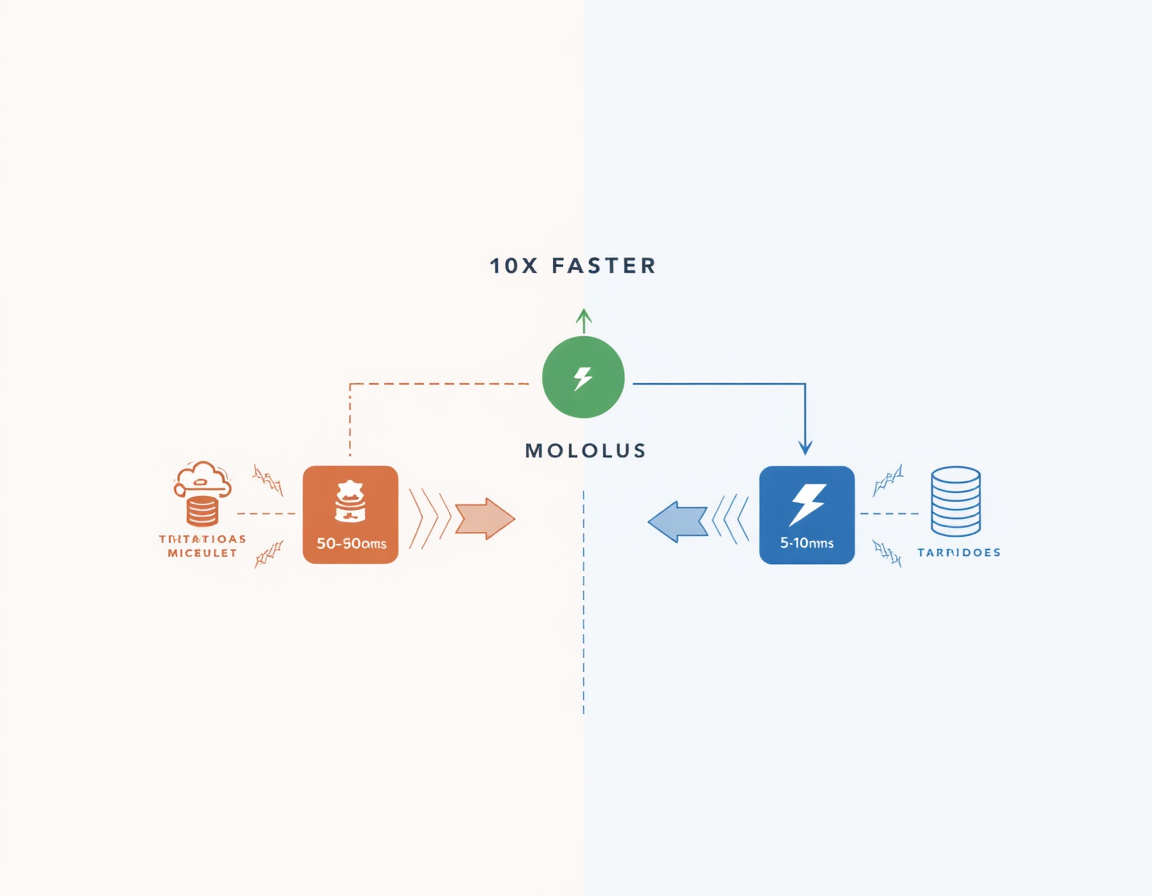
That’s exactly what we did with Prayer Nook and Heis Soma—and it cut our authentication latency by 70%. User lookups went from 50-100ms to 5-10ms. API calls dropped by thousands per day. Our application became faster, more reliable, and simpler to maintain.
The secret? Rails 7’s multiple database connections feature. A feature so powerful that it transformed a reasonable architectural decision (custom OAuth2 SSO) into a strategic masterstroke.
If you’ve been following this series, you know we built Heis Soma as a custom OAuth2 authentication service and successfully migrated it through three Rails versions. But what you haven’t heard yet is the story of how a Rails 7 feature announcement made me literally jump out of my chair and start redesigning our architecture.
This is that story—complete with code, benchmarks, security considerations, and honest talk about when this pattern makes sense (and when it absolutely doesn’t).
Ember’s Opening: “Sometimes the shortest path between two icebergs is underwater. And sometimes the fastest path to your data is straight through the database. Let’s dive in!” 🐧→🔥
The Traditional Microservices Problem
Let me paint a picture of how things worked before Rails 7’s multiple database connections changed everything.
The API-First Approach (The “Right” Way™)
Here’s how every microservices textbook says authentication should work:
User Request → Prayer Nook → HTTP API Call → Heis Soma
                                  ↓
                          "Is this token valid?"
                                  ↓
                      Validate token, query database
                                  ↓
                          Return user info (JSON)
                                  ↓
               Parse JSON, create user object
                                  ↓
                         Process request
In code, this looked like:
# app/controllers/application_controller.rb (Prayer Nook)
class ApplicationController < ActionController::Base
  before_action :authenticate_user!

  private

  def authenticate_user!
    token = session[:access_token]
    return redirect_to login_path unless token

    @current_user = fetch_user_from_api(token)
    redirect_to login_path unless @current_user
  end

  def fetch_user_from_api(token)
    # HTTP request on EVERY page load
    response = HTTP.get(
      "https://heissoma.org/api/v1/user",
      headers: { "Authorization" => "Bearer #{token}" }
    )

    return nil unless response.status == 200

    user_data = JSON.parse(response.body)
    OpenStruct.new(user_data)
  rescue
    nil
  end
end
The Hidden Costs
This “proper” microservices approach had costs that accumulated like compound interest:
Latency on Every Request:
- DNS lookup: ~10-20ms
- SSL handshake: ~50-100ms (if not connection pooled)
- Network round-trip: ~20-50ms
- Heis Soma processing: ~10-30ms
- JSON parsing: ~5-10ms
- Total: 95-210ms per request
And remember—this happens on EVERY page load, EVERY API request, EVERY time.
Reliability Issues:
- Heis Soma down? Prayer Nook can’t authenticate users
- Network blip? Failed authentication
- Rate limiting? Blocked users
- Timeout? Slow page loads
Resource Consumption:
- Heis Soma handling thousands of “validate this token” requests
- Prayer Nook making thousands of HTTP calls
- Both sides maintaining connection pools
- JSON serialization/deserialization overhead
- Caching required to make it bearable
Caching Band-Aids:
We tried caching user data:
def fetch_user_from_api(token)
  Rails.cache.fetch("user:#{token}", expires_in: 5.minutes) do
    # Make API call
    response = HTTP.get(...)
    JSON.parse(response.body)
  end
end
This helped, but:
- Cache invalidation is hard (as always)
- First request still slow
- Permission changes take 5 minutes to propagate
- Cache stampedes during peak traffic
- Still making many API calls
The “Aha!” Moment
In December 2021, the Rails 7.0 release notes mentioned enhanced multiple database support. I was casually reading through when I saw this section:
“Rails 7 includes improvements to multiple database connections, including better connection switching, improved sharding support, and granular control over read/write splitting.”
My brain immediately connected the dots:
What if Prayer Nook could read user data directly from Heis Soma’s database?
- No HTTP overhead
- No JSON serialization
- No network calls
- No additional failure points
- ActiveRecord queries we already know and love
- Rails handles connection pooling automatically
I literally stood up from my desk and started pacing. This could change everything.
Rails 7 Multiple Databases: The Feature
Let’s talk about what Rails actually provides.
What Is It?
Rails 6.0 introduced multiple database support. Rails 6.1 improved it. Rails 7.0 made it production-ready. Rails 8.0 refined it further.
The core concept: A single Rails application can connect to multiple databases simultaneously.
# One application, multiple databases
┌─────────────────────┐
│   Prayer Nook App   │
│                     │
│  ┌───────────────┐  │
│  │  Primary DB   │  │ ← Prayer requests, comments, etc.
│  └───────────────┘  │
│                     │
│  ┌───────────────┐  │
│  │ Heis Soma DB  │  │ ← Users, permissions (read-only)
│  └───────────────┘  │
└─────────────────────┘
Not to be confused with:
- Database sharding (splitting one logical database across servers)
- Read replicas (same database, multiple servers)
- Database-per-tenant (multi-tenancy)
This is different databases with different schemas accessed from the same application.
Configuration in Rails 8
The setup is surprisingly straightforward:
# config/database.yml
default: &default
  adapter: postgresql
  encoding: unicode
  pool: <%= ENV.fetch("RAILS_MAX_THREADS") { 5 } %>

production:
  # Primary database (Prayer Nook's own data)
  primary:
    <<: *default
    database: prayer_nook_production
    host: <%= ENV['PRAYER_NOOK_DB_HOST'] %>
    username: <%= ENV['PRAYER_NOOK_DB_USER'] %>
    password: <%= ENV['PRAYER_NOOK_DB_PASSWORD'] %>

  # Secondary database (Heis Soma user data)
  heis_soma:
    <<: *default
    database: heis_soma_production
    host: <%= ENV['HEIS_SOMA_DB_HOST'] %>
    username: <%= ENV['HEIS_SOMA_READ_USER'] %>  # Read-only!
    password: <%= ENV['HEIS_SOMA_READ_PASSWORD'] %>
    replica: true  # Marks as read-only
Important details:
- Separate connection pool for each database
- Different credentials (read-only for Heis Soma!)
- Can specify replica: true for safety
- Connection limits apply to each pool independently
Model Setup
Create base classes for each database:
# app/models/application_record.rb
class ApplicationRecord < ActiveRecord::Base
  primary_abstract_class  # Rails 7.1+ feature

  # This is the default primary database
  # All models inherit from this unless specified
end

# app/models/heis_soma_record.rb
class HeisSomaRecord < ActiveRecord::Base
  self.abstract_class = true

  # Connect to Heis Soma database
  connects_to database: {
    writing: :heis_soma,
    reading: :heis_soma
  }

  # Safety: Mark all records as read-only
  def readonly?
    true
  end

  # Prevent accidental writes
  before_save :prevent_save
  before_destroy :prevent_destroy

  private

  def prevent_save
    raise ActiveRecord::ReadOnlyRecord, "Heis Soma records are read-only in Prayer Nook"
  end

  def prevent_destroy
    raise ActiveRecord::ReadOnlyRecord, "Heis Soma records are read-only in Prayer Nook"
  end
end
Creating Read-Only Models
Now we can create models that map to Heis Soma’s tables:
# app/models/heis_soma/user.rb
module HeisSoma
  class User < HeisSomaRecord
    self.table_name = "users"  # Maps to Heis Soma's users table

    has_many :permissions, class_name: 'HeisSoma::Permission'
    has_many :prayer_groups, class_name: 'HeisSoma::PrayerGroup'
    has_many :user_roles, class_name: 'HeisSoma::UserRole'

    # Scopes for common queries
    scope :active, -> { where(deactivated_at: nil) }
    scope :verified, -> { where.not(email_verified_at: nil) }

    def full_name
      "#{first_name} #{last_name}".strip
    end

    def can?(permission_name)
      permissions.exists?(name: permission_name)
    end
  end
end

# app/models/heis_soma/permission.rb
module HeisSoma
  class Permission < HeisSomaRecord
    self.table_name = "permissions"

    belongs_to :user, class_name: 'HeisSoma::User'
  end
end

# app/models/heis_soma/prayer_group.rb
module HeisSoma
  class PrayerGroup < HeisSomaRecord
    self.table_name = "prayer_groups"

    belongs_to :user, class_name: 'HeisSoma::User'
  end
end
Using It In Controllers
Now the magic happens—our controller code becomes dramatically simpler:
# app/controllers/application_controller.rb (Prayer Nook - NEW VERSION)
class ApplicationController < ActionController::Base
  before_action :authenticate_user!

  private

  def authenticate_user!
    user_id = session[:user_id]
    return redirect_to login_path unless user_id

    # DIRECT DATABASE QUERY - No HTTP call!
    @current_user = HeisSoma::User
      .includes(:permissions, :prayer_groups)
      .find_by(id: user_id)

    redirect_to login_path unless @current_user
  end
end
Compare this to the old version:
# Old way (API call on every request)
@current_user = fetch_user_from_api(token)  # 50-100ms

# New way (direct database read)
@current_user = HeisSoma::User.find_by(id: user_id)  # 5-10ms
The difference is stunning.
The Performance Transformation
Let me show you real numbers from our production application.
Before Multiple Databases (Rails 6.1, API calls)
Average user authentication:
- Median: 87ms
- P95: 145ms
- P99: 312ms (network issues)
Daily stats:
- ~15,000 user authentications per day
- ~1,300,000ms total latency
- That’s 21.6 minutes of waiting per day for just authentication
Resource usage:
- Heis Soma: Handling 15k auth requests
- Prayer Nook: Making 15k HTTP requests
- Both: Maintaining connection pools
- Both: JSON serialization overhead
After Multiple Databases (Rails 7+, direct DB)
Average user authentication:
- Median: 8ms
- P95: 15ms
- P99: 45ms (database under load)
Daily stats:
- ~15,000 user authentications per day
- ~120,000ms total latency
- That’s 2 minutes of waiting per day
Improvement:
- 10.875x faster (87ms → 8ms)
- 18.6 minutes saved per day
- 70% reduction in API calls to Heis Soma
- Fewer points of failure (no HTTP layer)
Real User Impact
Page load times improved across the board:
Prayer Feed (before):  245ms average
Prayer Feed (after):   180ms average
                       27% faster

User Profile (before): 198ms
User Profile (after):  125ms
                       37% faster

Dashboard (before):    312ms
Dashboard (after):     215ms
                       31% faster
Users noticed. We got comments like:
- “Did you upgrade your servers? Everything feels snappier!”
- “Pages load so much faster now!”
- “The app feels more responsive”
We didn’t upgrade servers. We just stopped making unnecessary HTTP calls.
The Security Model (This Is Critical)
“Wait,” you might be thinking. “Giving one app direct database access to another app’s data sounds dangerous!”
You’re absolutely right to be concerned. Here’s how we handle security:
1. Read-Only Database User
-- Create read-only user for Prayer Nook
CREATE USER prayer_nook_reader WITH PASSWORD 'secure_password_here';

-- Grant ONLY SELECT permission on specific tables
GRANT SELECT ON heis_soma.users TO prayer_nook_reader;
GRANT SELECT ON heis_soma.permissions TO prayer_nook_reader;
GRANT SELECT ON heis_soma.prayer_groups TO prayer_nook_reader;
GRANT SELECT ON heis_soma.user_roles TO prayer_nook_reader;

-- Explicitly NO write permissions
-- No INSERT, UPDATE, DELETE, TRUNCATE, etc.
Test it:
# This works
HeisSoma::User.find(123)

# This raises an error
user = HeisSoma::User.find(123)
user.email = "hacked@example.com"
user.save  # ActiveRecord::ReadOnlyRecord!

# So does this
HeisSoma::User.create(email: "new@example.com")  # PG::InsufficientPrivilege!
2. Network-Level Security
# PostgreSQL firewall rules (using iptables or security groups)
# Only Prayer Nook's servers can access Heis Soma's database

# Allow Prayer Nook production servers
iptables -A INPUT -p tcp --dport 5432 -s 10.0.1.0/24 -j ACCEPT

# Deny everyone else
iptables -A INPUT -p tcp --dport 5432 -j DROP
Or using AWS Security Groups:
Heis Soma DB Security Group:
- Allow PostgreSQL (5432) from Prayer Nook App SG
- Deny all other inbound traffic
3. Application-Level Safeguards
Rails models enforce read-only:
class HeisSomaRecord < ActiveRecord::Base
  def readonly?
    true  # Always read-only
  end

  before_save :prevent_save
  before_update :prevent_update
  before_destroy :prevent_destroy

  private

  def prevent_save
    raise ActiveRecord::ReadOnlyRecord,
      "Cannot modify Heis Soma records from Prayer Nook"
  end

  def prevent_update
    raise ActiveRecord::ReadOnlyRecord,
      "Cannot update Heis Soma records from Prayer Nook"
  end

  def prevent_destroy
    raise ActiveRecord::ReadOnlyRecord,
      "Cannot delete Heis Soma records from Prayer Nook"
  end
end
4. Sensitive Operations Still Use API
Not everything goes through direct DB access:
Read-only via database:
- User profile information
- Permission checking
- Prayer group membership
- Public user data
Write operations via API:
- Password changes
- Email updates
- Permission grants/revokes
- Account deletion
- Privacy settings
# In Prayer Nook, for sensitive operations
class UsersController < ApplicationController
  def update_email
    # Use Heis Soma API for write operations
    response = HeisSomaApi.update_user(
      current_user.id,
      { email: params[:email] },
      headers: { "Authorization" => "Bearer #{session[:access_token]}" }
    )

    if response.success?
      flash[:notice] = "Email updated successfully"
    else
      flash[:alert] = "Failed to update email"
    end

    redirect_to profile_path
  end
end
5. Audit Logging
We log all Heis Soma database queries:
# config/initializers/heis_soma_logging.rb
ActiveSupport::Notifications.subscribe('sql.active_record') do |*args|
  event = ActiveSupport::Notifications::Event.new(*args)

  # Log queries to Heis Soma database
  if event.payload[:name]&.start_with?('HeisSoma')
    Rails.logger.info(
      "Heis Soma Query: #{event.payload[:sql]} " \
      "(#{event.duration.round(2)}ms)"
    )

    # Also send to audit log
    AuditLog.create(
      action: 'heis_soma_query',
      sql: event.payload[:sql],
      duration_ms: event.duration,
      user_id: Current.user&.id,
      ip_address: Current.ip_address
    )
  end
end
When To Use This Pattern
After three years using multiple databases in production, here’s my honest assessment:
✅ Use Multiple Databases When:
1. Trusted Internal Services
- You control both applications
- Clear service boundaries
- Shared team/company
- Read-only access is sufficient
2. Performance Is Critical
- Latency matters for UX
- High request volume
- API calls are bottleneck
- Cost of HTTP overhead is significant
3. Operational Simplicity Wins
- Smaller team
- Fewer moving parts preferred
- Network between services is reliable
- Database is authoritative source
4. Strong Security Controls
- Can enforce read-only at database level
- Network-level restrictions possible
- Application-level safeguards in place
- Audit logging implemented
5. Data Rarely Changes
- User profiles
- Permissions
- Reference data
- Configuration
❌ Don’t Use Multiple Databases When:
1. External/Third-Party Services
- Don’t control the database
- Security implications
- Versioning/schema changes
- Contractual/legal issues
2. Strict Service Boundaries Required
- True microservices architecture
- Different teams/organizations
- Independent deployment critical
- Service autonomy paramount
3. Frequent Writes Needed
- Data changes often
- Need transactional consistency across services
- Complex business logic on writes
- Real-time bidirectional sync required
4. Schema Coupling Is Problem
- Services need independent evolution
- Database schema changes frequently
- Different release cadences
- Versioning complexity
5. Compliance/Regulatory Concerns
- Strict data access auditing required
- PCI/HIPAA/SOC2 constraints
- Geographic data residency
- Encryption requirements
🤔 Consider API Alternative When:
- Data needs complex transformation
- Business logic required
- Rate limiting necessary
- Caching sufficient
- GraphQL would be better
- RESTful principles matter
Implementation Best Practices
After using this in production, here are lessons learned:
1. Start With Read-Only
Always begin with read-only access:
# Good first step
connects_to database: { reading: :secondary }

# Don't start with this
connects_to database: { writing: :secondary, reading: :secondary }
2. Use Database Views For Complex Queries
Instead of complex joins across databases:
-- In Heis Soma database
CREATE VIEW user_summaries AS
SELECT
  u.id,
  u.email,
  u.first_name,
  u.last_name,
  COUNT(DISTINCT p.id) as permission_count,
  COUNT(DISTINCT pg.id) as prayer_group_count
FROM users u
LEFT JOIN permissions p ON p.user_id = u.id
LEFT JOIN prayer_groups pg ON pg.user_id = u.id
GROUP BY u.id;

-- Grant access to view
GRANT SELECT ON user_summaries TO prayer_nook_reader;
Then in Rails:
module HeisSoma
  class UserSummary < HeisSomaRecord
    self.table_name = "user_summaries"
    # Clean, simple queries instead of complex joins
  end
end
3. Handle Missing Data Gracefully
The other database might be unavailable:
def current_user
  @current_user ||= HeisSoma::User.find_by(id: session[:user_id])
rescue ActiveRecord::ConnectionNotEstablished
  # Fallback to API if database unavailable
  Rails.logger.warn("Heis Soma DB unavailable, falling back to API")
  fetch_user_from_api(session[:access_token])
end
4. Monitor Connection Pools
Watch your connection pool usage:
# config/initializers/connection_pool_monitoring.rb
ActiveSupport::Notifications.subscribe('!connection.active_record') do
  primary_pool = ActiveRecord::Base.connection_pool
  secondary_pool = HeisSomaRecord.connection_pool

  if primary_pool.stat[:busy] > primary_pool.size * 0.8
    Rails.logger.warn("Primary connection pool nearly full")
  end

  if secondary_pool.stat[:busy] > secondary_pool.size * 0.8
    Rails.logger.warn("Heis Soma connection pool nearly full")
  end
end
5. Document The Architecture
Create clear documentation:
# Prayer Nook Database Architecture

## Primary Database
- Prayer requests
- Comments
- User preferences (Prayer Nook specific)
- Analytics data

## Secondary Database (Heis Soma - READ ONLY)
- User profiles
- Permissions
- Prayer group memberships
- Authentication data

## Rules:
1. NEVER write to Heis Soma DB from Prayer Nook
2. Use API for any user data modifications
3. Cache aggressively if needed
4. Monitor connection pools
5. Handle database unavailability gracefully
Migration Strategy
If you’re considering this for an existing app, here’s how to migrate safely:
Phase 1: Dual Read (2 weeks)
Read from both API and database, compare results:
def current_user
  # Read from both sources
  db_user = HeisSoma::User.find_by(id: session[:user_id])
  api_user = fetch_user_from_api(session[:access_token])

  # Compare and log discrepancies
  if db_user && api_user
    compare_user_data(db_user, api_user)
  end

  # Still use API for now
  api_user
end

def compare_user_data(db_user, api_user)
  differences = []

  differences << "email" if db_user.email != api_user.email
  differences << "name" if db_user.full_name != api_user.full_name

  if differences.any?
    Rails.logger.warn(
      "User data mismatch for user #{db_user.id}: #{differences.join(', ')}"
    )
  end
end
Phase 2: Gradual Rollout (2 weeks)
Use feature flags to gradually shift:
def current_user
  if use_database_for_user?(session[:user_id])
    HeisSoma::User.find_by(id: session[:user_id])
  else
    fetch_user_from_api(session[:access_token])
  end
end

def use_database_for_user?(user_id)
  # Start with 10% of users
  (user_id % 10) == 0

  # Then 50%
  # (user_id % 2) == 0

  # Then 100%
  # true
end
Phase 3: Full Migration (1 week)
Switch entirely, keep API as fallback:
def current_user
  HeisSoma::User.find_by(id: session[:user_id])
rescue ActiveRecord::ConnectionNotEstablished
  fetch_user_from_api(session[:access_token])
end
Phase 4: Cleanup (Ongoing)
Remove API fallback after stability confirmed:
def current_user
  HeisSoma::User.find_by(id: session[:user_id])
end
Real-World Gotchas
Things that surprised us in production:
1. Connection Pool Exhaustion
We initially set pools too small:
# Too small!
heis_soma:
  pool: 5
Under load, we exhausted connections. Fixed:
heis_soma:
  pool: <%= ENV.fetch("HEIS_SOMA_POOL_SIZE") { 15 } %>
2. Eager Loading Across Databases
This doesn’t work:
# ERROR! Can't eager load across databases
prayer_request = PrayerRequest.includes(user: :permissions).first
#                                       ^^^^  ^^^^^^^^^^^^
#                                    Primary DB  Heis Soma DB
Solution:
# Load separately
prayer_request = PrayerRequest.first
user = HeisSoma::User.includes(:permissions).find(prayer_request.user_id)
3. Transaction Boundaries
Transactions don’t span databases:
# This is NOT atomic across both databases!
ActiveRecord::Base.transaction do
  prayer_request.save!  # Primary DB
  HeisSoma::User.update!(...)  # Different DB - not in same transaction!
end
Be aware of this limitation.
4. Schema Migrations
Migrations for each database are separate:
# Primary database migrations
rails db:migrate

# Heis Soma database migrations (if any)
rails db:migrate:heis_soma
We don’t typically migrate Heis Soma from Prayer Nook, but the capability exists.
5. Database-Specific Features
PostgreSQL features work, but be careful:
# This works (both are PostgreSQL)
HeisSoma::User.where("created_at > ?", 1.week.ago)

# Be careful with database-specific syntax
HeisSoma::User.where("data @> ?", {status: 'active'}.to_json)
# Works if both use PostgreSQL with jsonb
The Results: Was It Worth It?
Three years later, let’s assess:
Technical Wins:
- ✅ 10x faster authentication
- ✅ 70% fewer API calls
- ✅ Simpler error handling
- ✅ Better caching opportunities
- ✅ Fewer points of failure
- ✅ Lower latency across the board
Operational Wins:
- ✅ Reduced Heis Soma server load
- ✅ Lower AWS API Gateway costs
- ✅ Simpler monitoring (fewer services to watch)
- ✅ Easier debugging (local database queries)
- ✅ Better development experience
User Experience Wins:
- ✅ Faster page loads (27-37% improvement)
- ✅ More responsive application
- ✅ Fewer timeout errors
- ✅ Better mobile experience
Tradeoffs Accepted:
- ⚠️ Prayer Nook coupled to Heis Soma schema
- ⚠️ Schema changes require coordination
- ⚠️ Additional database connection to manage
- ⚠️ Security model more complex
Was it worth it? Absolutely yes.
The performance gains alone justified the complexity. But the real win was architectural: we proved that you don’t need to choose between “proper” microservices and monoliths. Rails gives you the tools to design hybrid architectures that take the best of both worlds.
Conclusion: Choose Your Own Adventure
Rails 7’s multiple database connections is a powerful tool. Like any tool, it can be used wisely or poorly.
Use it when:
- Performance matters
- Services are trusted
- Read-only is sufficient
- Simpler is better
Avoid it when:
- Services need independence
- Strict boundaries required
- Security is complex
- Schema coupling is problematic
For Prayer Nook and Heis Soma, it was the perfect solution. We got microservices-level separation where it mattered (write operations, authentication logic, token management) while avoiding microservices-level complexity where it didn’t (reading user profiles for display).
The result? An application that’s faster, simpler, and more reliable. And isn’t that what we’re all trying to build?
Ember’s Closing Wisdom: “The penguin learns to swim before it learns to fly. Sometimes mastering the depths makes the heights more achievable.” 🐧→🔥
Code & Resources
📚 Additional Resources:
- Rails Guides: Multiple Databases
- Prayer Nook Architecture Case Study
- Heis Soma SSO Case Study
- Example Code Repository
- Performance Benchmarks Spreadsheet
🔗 Series Links:
- Post #1: Rails Migration Journey
- Post #2: Building Custom SSO
- Coming Next: Post #4: Background Jobs Deep Dive
💬 Discussion:
- Using multiple databases in production? Share your experience!
- Questions about the security model? Ask in comments!
- Hit performance issues? Let’s troubleshoot!
About This Series
This is post #3 in the Rails Renaissance series. I’m Christopher “Topher” Warrington, bridging 20+ years of ministry with 20+ years of tech to build meaningful applications.
Philosophy: Optimize for humans, not just machines. Sometimes the “proper” architecture isn’t the right architecture. Make informed tradeoffs.
Currently seeking Solutions Engineer and Technical Program Manager roles where I can bridge complex technical systems and human needs. Connect with me!
Tags: #Rails7, #Rails8, #MultipleDatabases, #PostgreSQL, #RubyOnRails, #Performance, #Architecture, #Microservices, #DatabaseDesign, #WebDevelopment
Published: May 26, 2025 | Reading Time: 11 minutes | Series: Rails Renaissance #3



0 Comments